Accessibility
We want you to be able to use Freequency if you have a disability. Here we explain what we have built into the website and app, which limitations remain, and where you can report a problem.
This accessibility statement applies to the website freequency.app and to the Freequency app. For the website we take the Web Content Accessibility Guidelines (WCAG) 2.1 at level AA as our starting point. We build the app with the standard components of the operating system, so your device's accessibility settings work as much as possible without extra effort.
We have not yet had the website audited by an independent party. What you read below is what we have checked and built in ourselves. If you find something that does not work, we would love to hear about it: that is how the next version gets better.
- Status
- Partially conforms to WCAG 2.1 AA, self-assessed
- Last updated
- 30 September 2026
- Applies to
- freequency.app and the Freequency app
What we do
Below are the accessibility features of the website and app, with an explanation of what each one does.
On the website
Colors with enough contrast
The color palette has been checked for contrast. If your system asks for more contrast, the site switches to an extra high-contrast variant.
Less motion on request
With 'reduce motion' turned on in your device, all animations and transitions are dropped. Everything stays visible right away.
Works without JavaScript
You can read the content without JavaScript. Text and images remain visible, without the animations that normally appear as you scroll.
Keyboard operable
Every link, button and form can be reached with the keyboard and has a visible focus. The homepage offers a link to skip straight to the content.
Meaningful structure
Pages use headings, lists, and recognizable regions for screen readers. Link text describes its destination. Images have alternative text or are marked as decorative.
Readable on any screen
Text scales with your screen and your zoom level, up to 200 percent and beyond. The site works on phone, tablet and desktop.
In the app
System settings are respected
The app is built with the standard components of your device. Larger text, VoiceOver or TalkBack, dark mode and reduced motion are therefore respected on most screens.
An exercise for every day
Catch the Tone uses your camera and asks you to look around. For Soundscape, you can stay seated or lie down. You do not need to look at the screen.
Help during the game
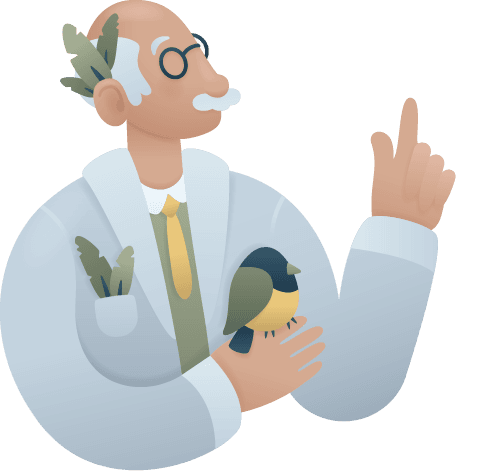
Under Accessibility in the app you choose for yourself: hints from Professor Tone, a permanently visible aid around the bird, a tone that fades with distance and a chirp for every bird you find.
Feedback you can feel
In Soundscape, light vibrations follow the sound and the screen colors along. That way you can follow the exercise even when you cannot quite hear where the tone is.
Calm pace, no time pressure
Sessions have a goal of ten or fifteen minutes, but you can always stop earlier. There are no penalties, and a streak freeze covers a missed day.
Plain language
Explanations in the app and on the site are written in everyday language, with short sentences and no unnecessary jargon.
Honest about the limits
Some things we cannot do yet, and some are part of the nature of the exercise. These are the limitations we know of.
Embedded videos
Videos on the site come from YouTube and Vimeo. The players and captions belong to those platforms, and not every video has captions yet.
PDF files
The whitepapers and press kit files are not all fully accessible yet. If you need a file in another format, please get in touch.
Catch the Tone needs sight and movement
The AR exercise uses your camera and asks you to look around and move. For those who cannot, Soundscape is the alternative built on the same principle.
Practice relies on hearing
Freequency works with sound that resembles your tinnitus. With severe hearing loss on both sides, the exercise is of limited use. Discuss this with your audiologist.
Not yet independently audited
The website has been checked by us, not by an external party. A formal audit is on our wish list.
Running into something?
Let us know through the contact page. Describe what you were trying to do, on which page or screen, and with which assistive tools. We usually reply within one business day and take your report into the next update.

Contact
Have a question about the app, an idea, or an interest in working together? Send us a message. We usually reply within one business day.