
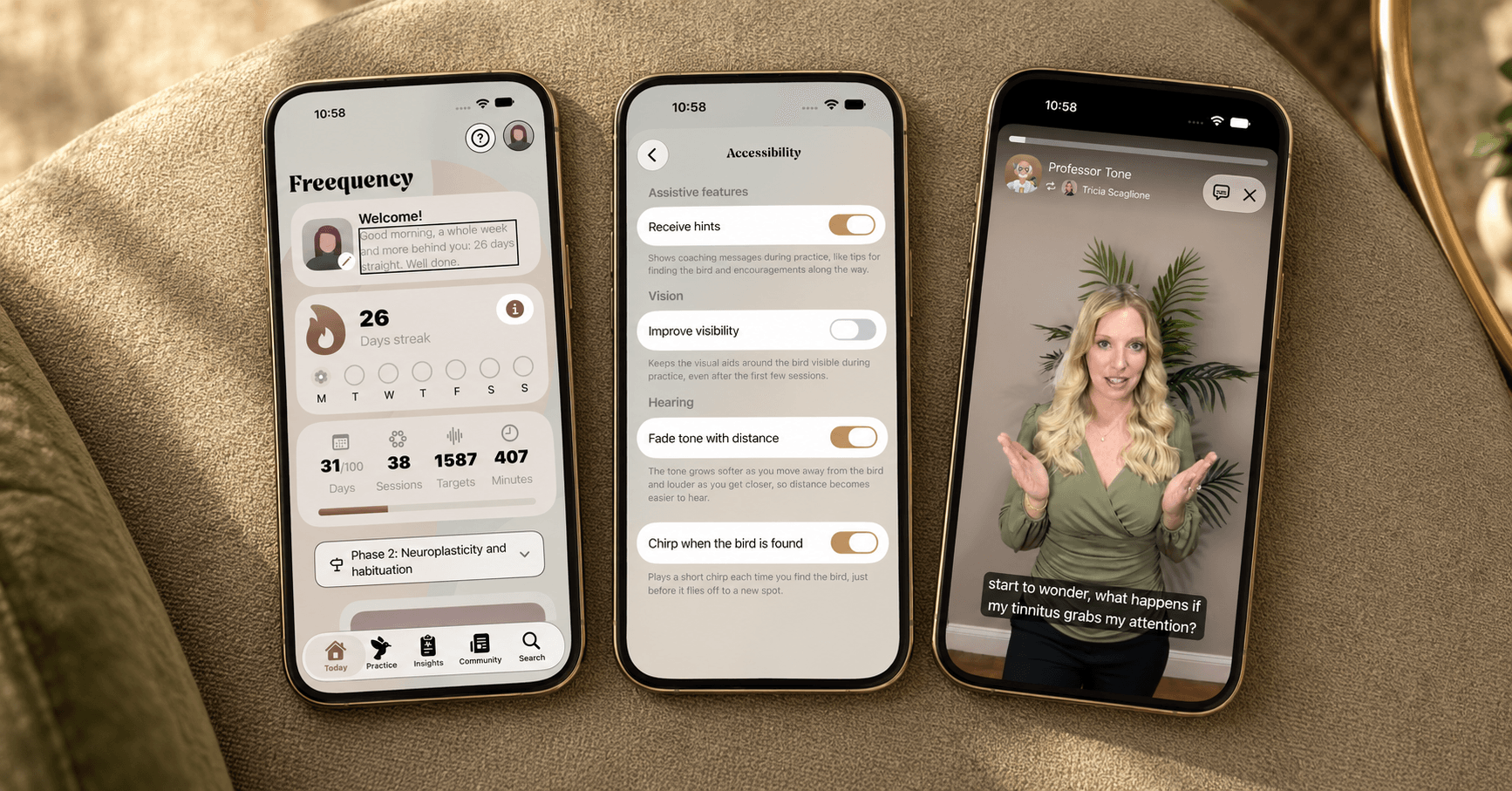
Freequency helps people learn to live with tinnitus. Many also have hearing loss. Others experience fatigue, difficulty concentrating or sensitivity to light and sound. These can vary from day to day. Low vision, motor impairments and limited experience with technology can also affect how someone uses the app.
We want Freequency to help. That means you need to be able to read the text, follow a video and use the app in a way that works for you. We keep that in mind as we design, build and improve it.
Your settings work here too
If you use accessibility features, you've probably already set up your phone or tablet to suit your needs. Freequency works with that setup. Our iPhone, iPad and Android apps use your device's built-in accessibility features and follow your settings.
You can use the whole app with VoiceOver or TalkBack, or control it with your voice. Text scales up to the largest available size while keeping screens usable. The app follows your dark mode and reduced motion settings. We use sufficient contrast and include other ways to communicate information alongside colour.
All videos have subtitles and audio descriptions, so you can follow the content if you can't hear the audio or see the visuals.
Testing with the people who use the app
Guidelines help us build an accessible app. Testing shows us how our choices work in practice.
That's why we test Freequency with people who use screen readers, voice control or larger text, as well as people with low vision or hearing loss. Their feedback helps us improve the design, the wording and how the app works.
Sometimes it's a small detail: a button label that sounds unclear when a screen reader reads it aloud. Sometimes a whole screen becomes difficult to use when the text gets larger. We use those experiences to inform our updates.
We keep working on it
With every new feature, screen and video, we review accessibility again. Our accessibility statement explains our approach and where things stand today.
Read our accessibility statement.