


After every session you tell Freequency how loud your tinnitus felt and how you're doing. Many of you also share how you slept, what you ate and drank, and how you spent your day. Until now, those answers mostly sat in your journal.
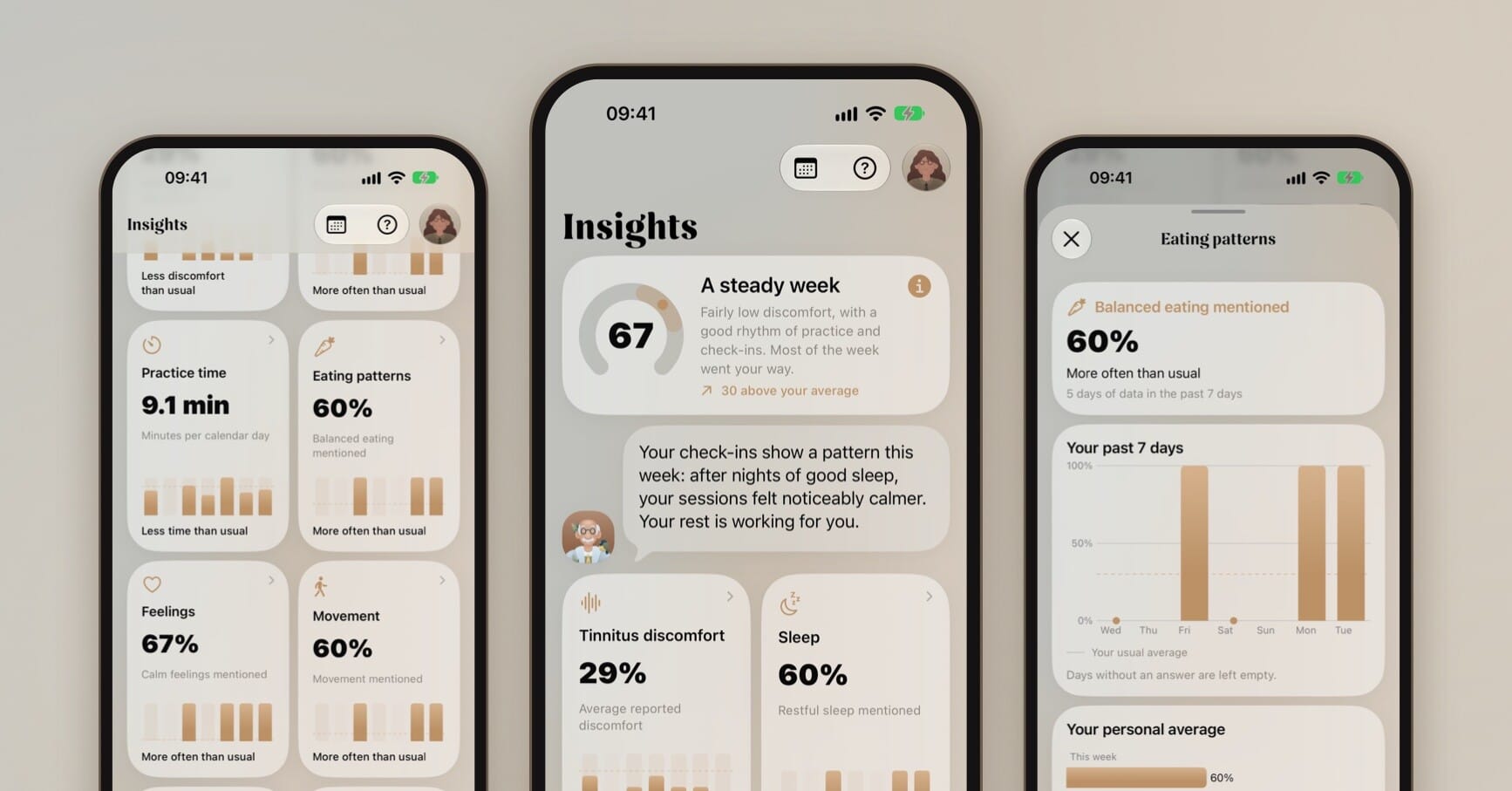
In the latest update, the Journal tab becomes Insights. It turns your check-ins into a clear picture of your week, so you can see how things are going and spot what your better days have in common.
Your Freequency score
Insights opens with your Freequency score: one number from 0 to 100 that sums up your past 7 days. Half of it comes from the tinnitus discomfort you reported. The other half comes from your practice and your lifestyle check-ins. Higher is better.
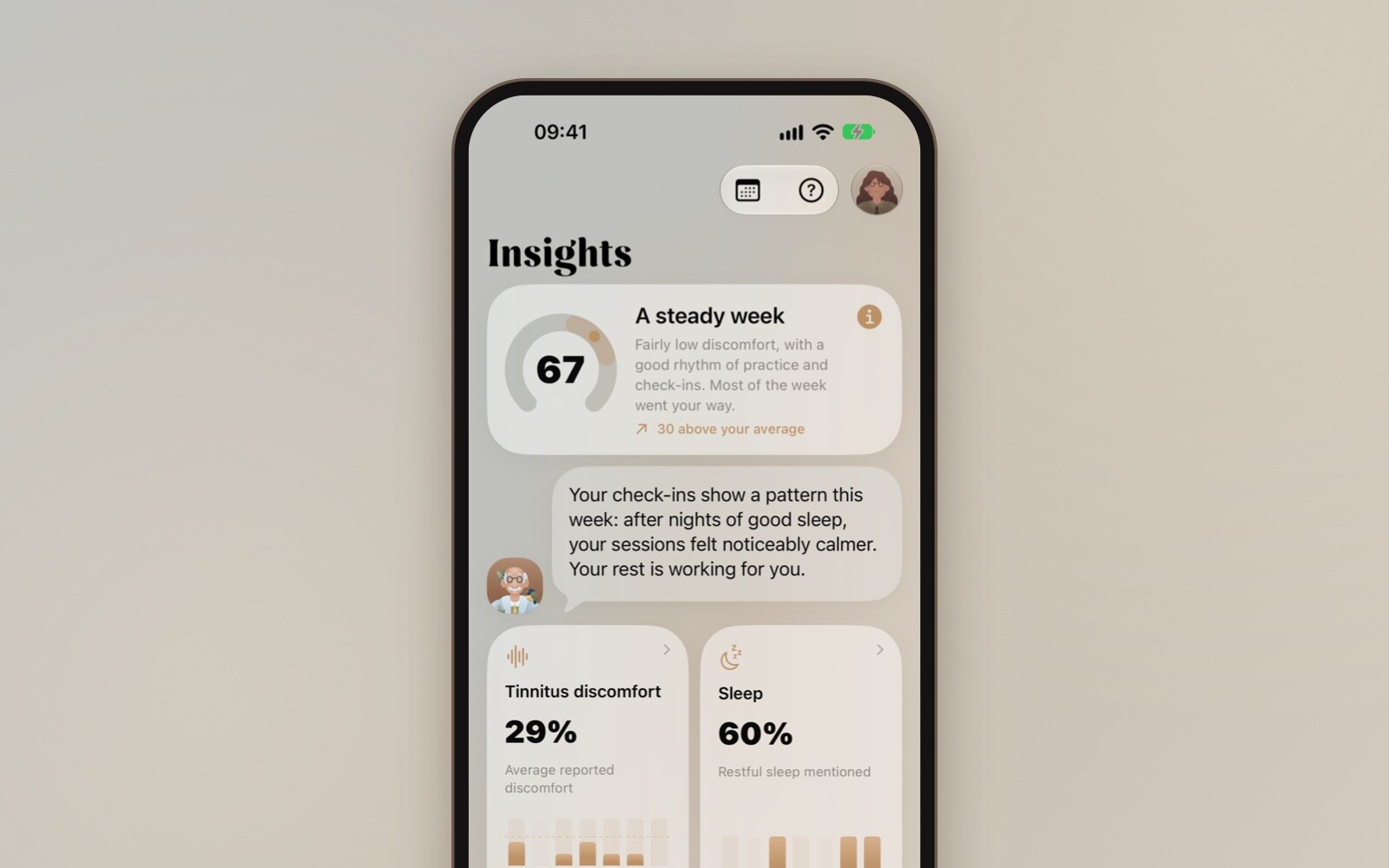
Next to the score you'll find a short description of your week, from "A calm week" to "You kept checking in". Below it, you can see how this week compares with your usual score from the 28 days before.
A few things are good to know:
- You need to log your discomfort on at least 3 of the past 7 days. Until then, the score shows "Taking shape" and how many days you've logged so far.
- Questions you skip never count against you. A day without an answer is left out, not counted as a bad day.
- The score is a personal reflection, not a medical assessment. It is not a hearing test or a TFI score.
Tap the info button on the card if you want a quick reminder of how it works.
Your week in eight cards
Below the score are eight cards. Each one follows a part of your week and compares it with your own usual average:
- Tinnitus discomfort: how loud your tinnitus felt on average
- Sleep: how often you mentioned restful sleep
- Practice time: your practice minutes per day
- Eating patterns: how often you mentioned balanced eating
- Feelings: how often you mentioned calm feelings
- Movement: how often you mentioned exercise, walking or time outdoors
- Relaxation: how often you mentioned hobbies, music, reading, time with others or meditation
- Practice rhythm: on how many days you practiced
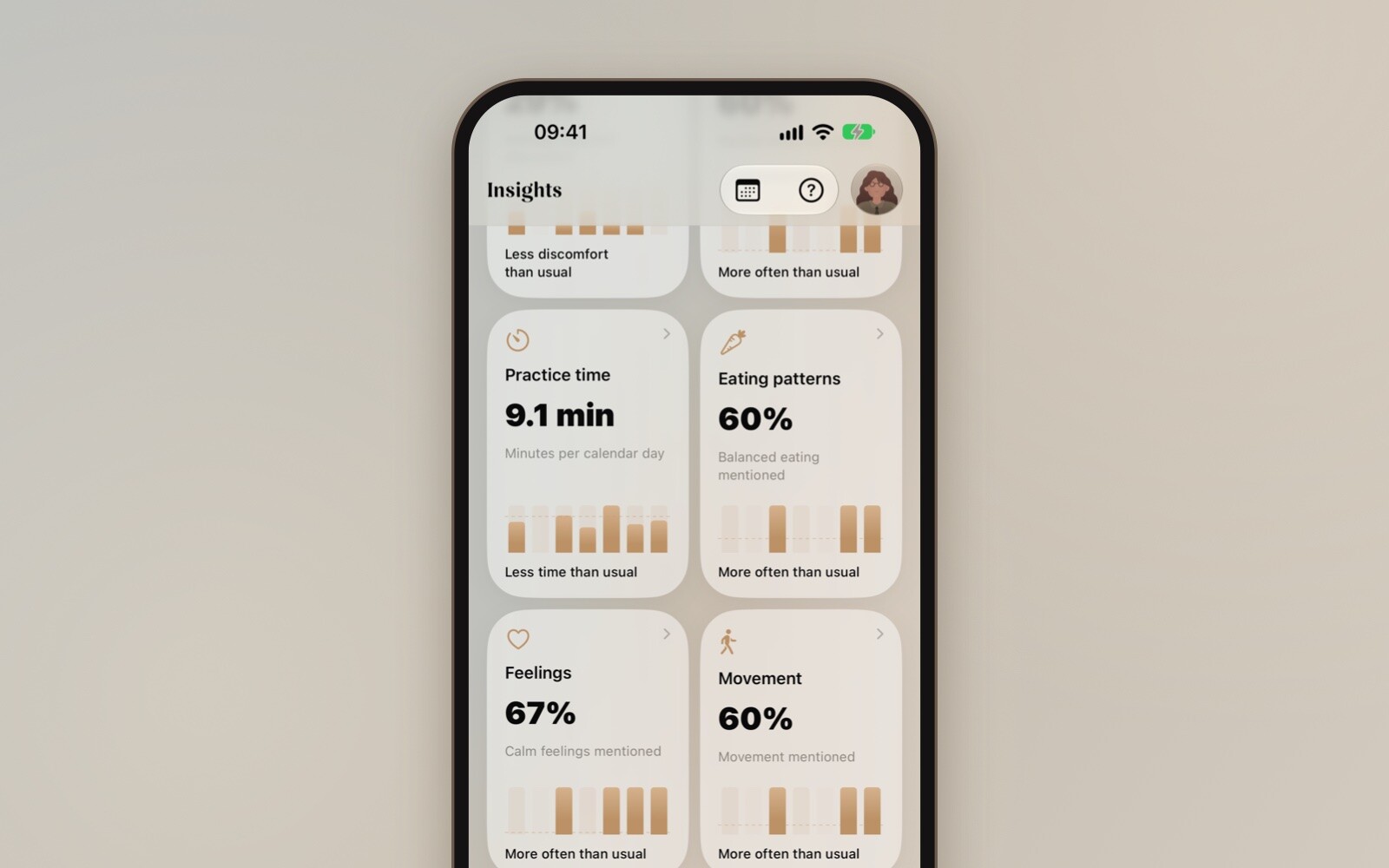
You're only ever compared with yourself. There's no "normal" to live up to, just your own usual week.
Tap a card for the details
Tap any card to see more. You'll find a day-by-day chart of the past week, this week next to your previous 28 days, and how often each check-in answer came up. Think of a difficult night, a cup of coffee or a long walk. Each detail page also explains in plain words how the number is calculated.
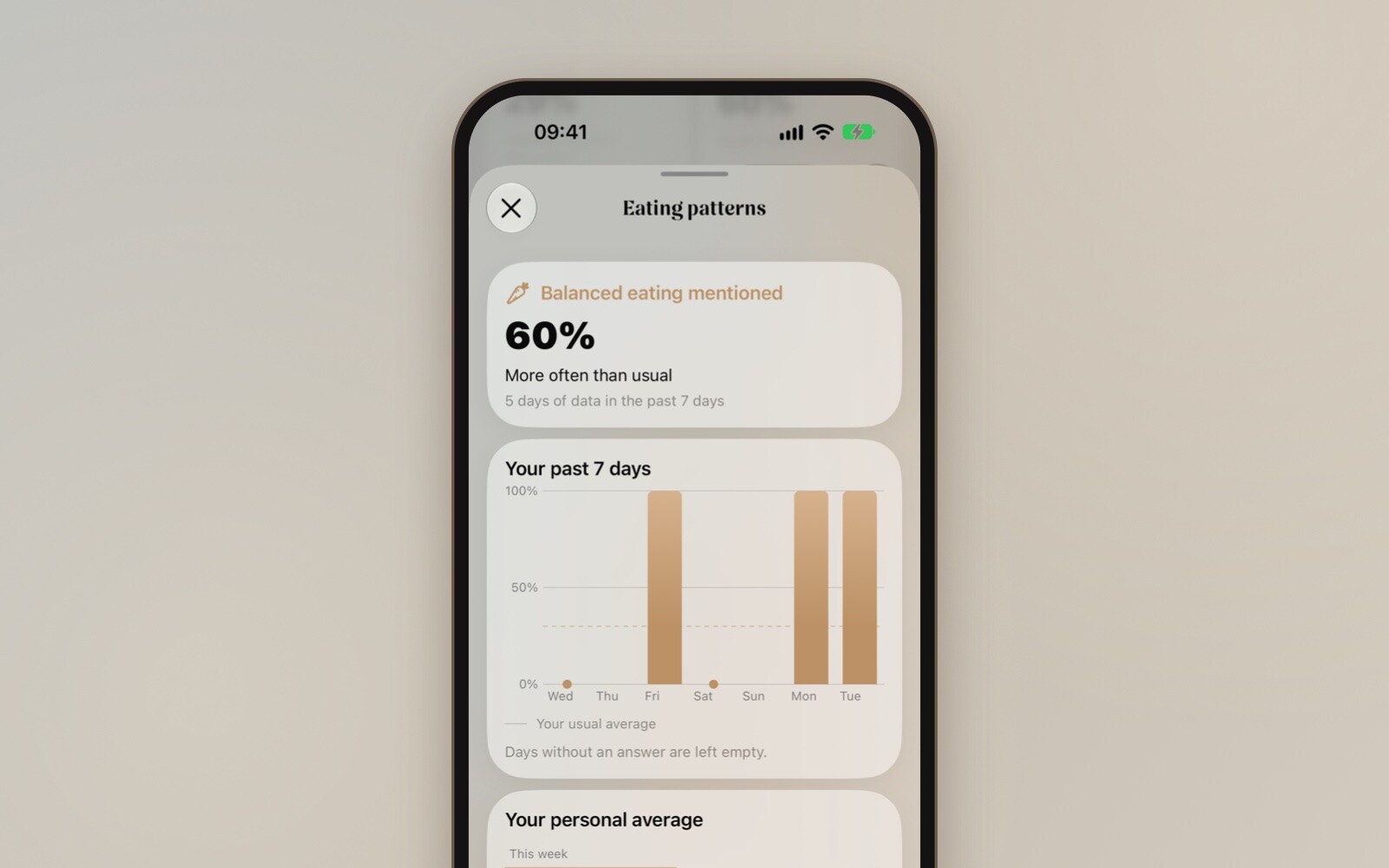
These patterns can help you notice what tends to go with your better and harder days. They don't show what causes your tinnitus, and one week says little on its own. Over several weeks, a picture starts to form.
Professor Tone and your session history
Professor Tone also looks at your week and shares an observation or a tip. Tap the calendar button at the top of Insights to go through your past sessions day by day, with how you felt, what you did and how you answered your check-ins.
Your score outside the app
You don't have to open the app to see how you're doing. Add the Freequency score widget to your Home Screen or Lock Screen, or put it on your Apple Watch face. You can also ask Siri: "What's my Freequency score?"
How to get the most out of Insights
- Answer the check-in after your session, even when it's short. The more days you log, the clearer the picture.
- Be honest about difficult days. They count just as much as good ones.
- Look back after a few weeks. A pattern that shows up again and again says more than a single week.
Update Freequency on your iPhone and open the Insights tab to see your first score.
Insights is coming to the Android app soon.